This article applies as of PRTG 26
How do I activate Message Queuing in my Windows installation in order to use the Windows MSMQ Queue Length sensor?
MSMQ Message Queuing
To use the Windows MSMQ Queue Length sensor in PRTG, you need to start the Message Queuing service on both the probe system and the target system. You can start services via services.msc.
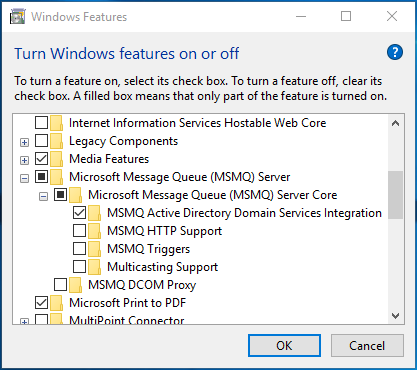
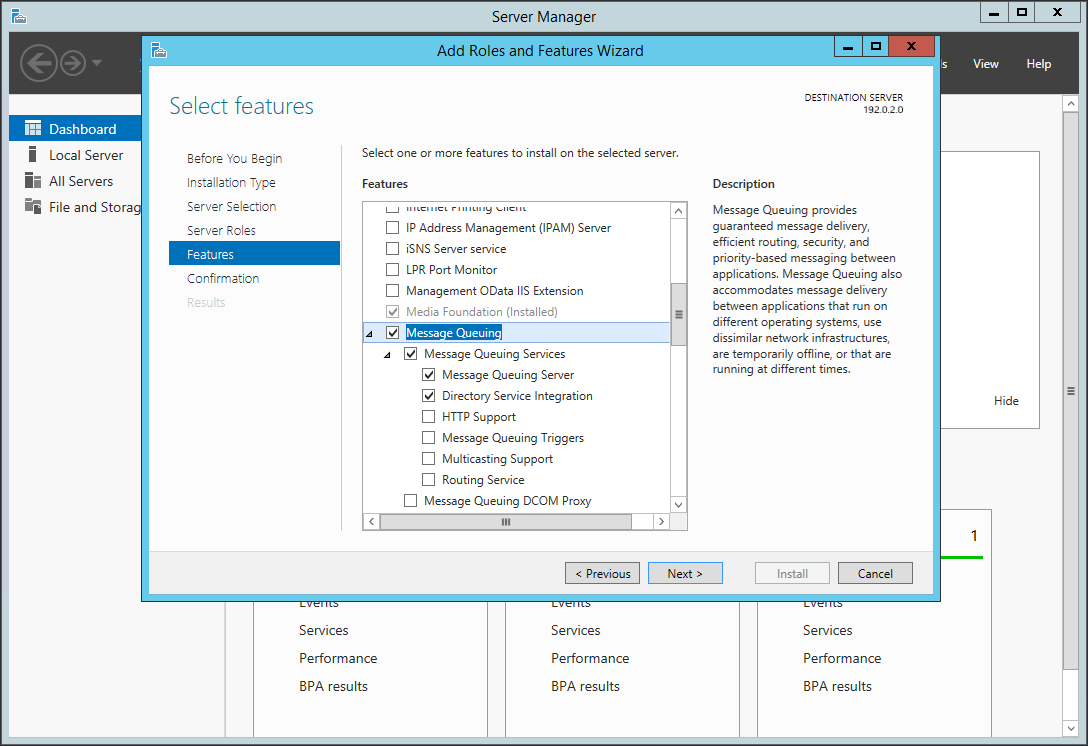
Message Queuing is only automatically installed on some Windows Server versions. Depending on the Windows version you are using, you might have to install the Microsoft Message Queue (MSMQ) Server first.
For details, see Installing and Managing Message Queuing.
Applies to: As of Windows Server 2016 and as of Windows 10
Directory Service Integration
Note: When installing the MSMQ Server, make sure it also includes the Directory Service. Depending on your Windows installation, this might have different names, such as
- MSMQ Active Directory Domain Service Integration
- Directory Service Integration
- Active Directory Integration
Windows Server
Windows