
How can I merge discoveries?
Follow these steps if you have discoveries on 2 different systems and you want to merge them into a single discovery.
Export the discovery from your first system
Open the discovery that you want to export.
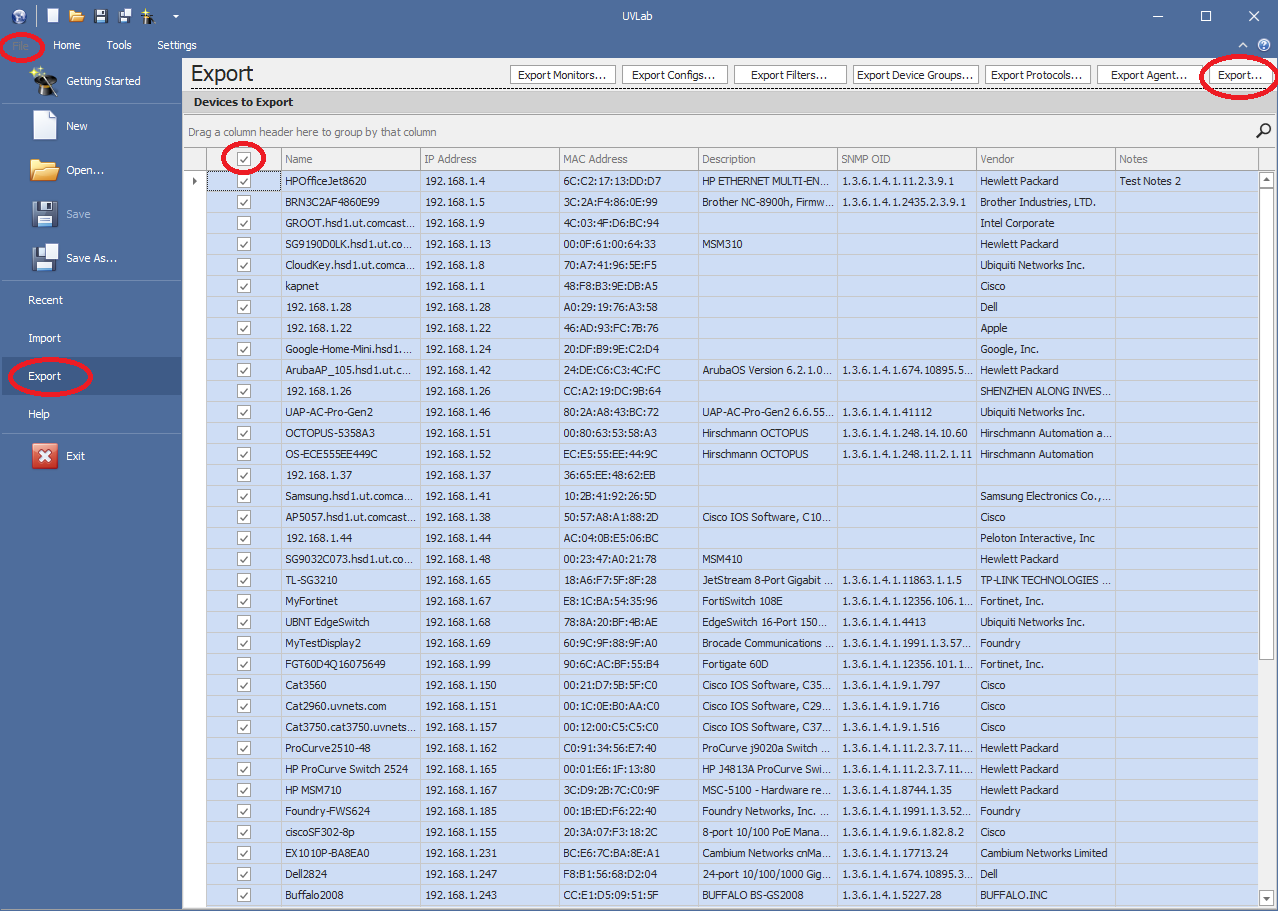
In the File menu, click Export.
Select all devices.
In the upper right corner, select Export. This produces a .dis file.
Copy the .dis file to the other computer.
Import the discovery in your second system
Open UVexplorer on your second system.
In the File menu, select Import.
Import the .dis file that you exported from your first system
Save it.
Merge the discoveries.
