How to Bigger Map Primary Channel gauges
Modified on 2025-06-10 13:48:36 +0200
Attention: This article is a record of a conversation with the Paessler support team. The information in this conversation is not updated to preserve the historical record. As a result, some of the information or recommendations in this conversation might be out of date.
Important: We no longer maintain this article. The information might be out of date.
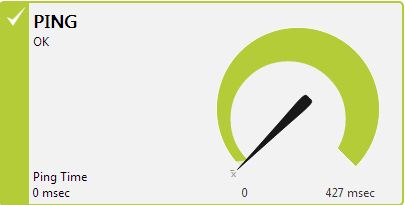
I have use the PRTG Map to put all the server channel gauges into 1 map, but i realize that the Primary Channel Gauges Sample:"(http://rotter.name/User_files/nor/51b6dc0c191e1a77.jpg)" got the maximum size which cannot enlarger any-more.
I want create a map which can fix in 2row x 3column Primary Channel Gauge into a size 1600x900 iframe size.
How to make this?
Article Comments
Hello,
thank you very much for your KB-Post. This is possible by "customizing" the PRTG webinterface, by adding the following to the styles_custom.css:
#showamap {
  zoom: 2;
}
Please be aware that this will then apply to all maps.
best regards.
Apr, 2014 - Permalink
Disclaimer:
The information in the Paessler Knowledge Base comes without warranty of any kind. Use at your own risk. Before applying any instructions please exercise proper system administrator housekeeping. You must make sure that a proper backup of all your data is available.


Hello,
thank you very much for your KB-Post. This is possible by "customizing" the PRTG webinterface, by adding the following to the styles_custom.css:
#showamap { zoom: 2; }Please be aware that this will then apply to all maps.
best regards.
Apr, 2014 - Permalink